Blind since childhood. A Class 6 student in Mumbai — but big dreams of coding his own software.
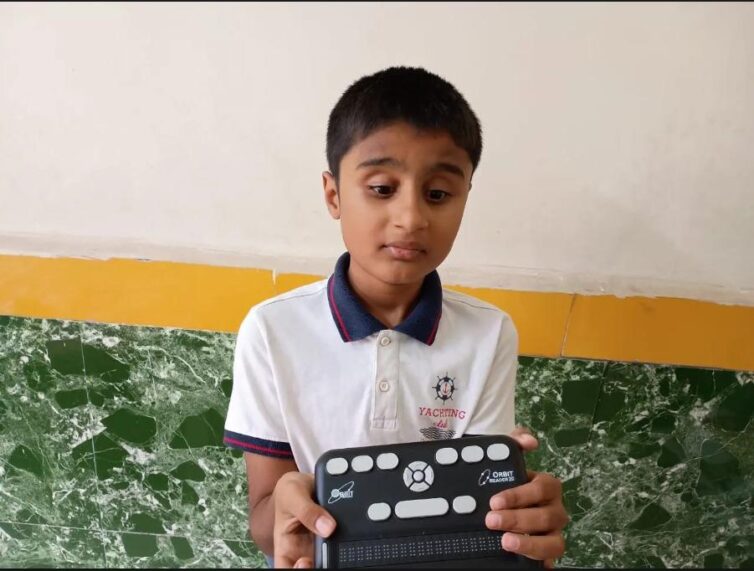
Eighteen months ago, VOSAP’s Assistive Technology Subsidy Program placed an Orbit Reader in Jainam Sondagar’s hand — a Braille device that lets him read and write independently — into the hands of Jainam, a Class 6 student in Mumbai who is blind. Since then, he hasn’t just kept pace with his classmates — he’s taught himself to build software.
Working entirely on his own, Jainam mastered the NVDA screen reader and learned to move confidently between Windows and Linux. He then began teaching himself to code — starting in Python, and now using AI tools like Google Gemini to help him write and debug through the command line. Asked who taught him all this, his answer is simple: “Main khud hi aise karta hoon” — “I do this myself.”
That self-driven curiosity has already produced real software. Jainam built his own multi-tool “Enterprise Suite” application, including a secure file shredder that wipes deleted files beyond recovery, a DNS-flush utility, and a network ping-diagnostics tool — and even attempted to release it as open-source software. A server-configuration issue got in the way of the release, but it hasn’t slowed him down: he’s already building his next feature. Meanwhile, the Orbit Reader travels with him to school every day for reading and writing, and his marks have climbed alongside his confidence — from around 75% in Class 5, with a goal of reaching 90% this year and his sights now set on 90–100%.
“Woh 40-plus wala Orbit kaisa hota hai?” — “What’s the 40-cell Orbit like?” Jainam is already asking VOSAP about his next upgrade — because in his own words, his current 20-cell reader now feels too small for how much he wants to read and write.
A device meant to help Jainam read has become the foundation for a boy who is teaching himself to build the future — one line of code at a time.
Every device funded through the AT Subsidy Program opens a door like this one.